> For the complete documentation index, see [llms.txt](https://wiki.loadium.com/llms.txt). Markdown versions of documentation pages are available by appending `.md` to page URLs; this page is available as [Markdown](https://wiki.loadium.com/creating-your-first-test.md).
# Quick Start
A quick introduction for Test Creation - Running - Analyzing
Loadium is designed to have a straightforward process to manage your load tests.
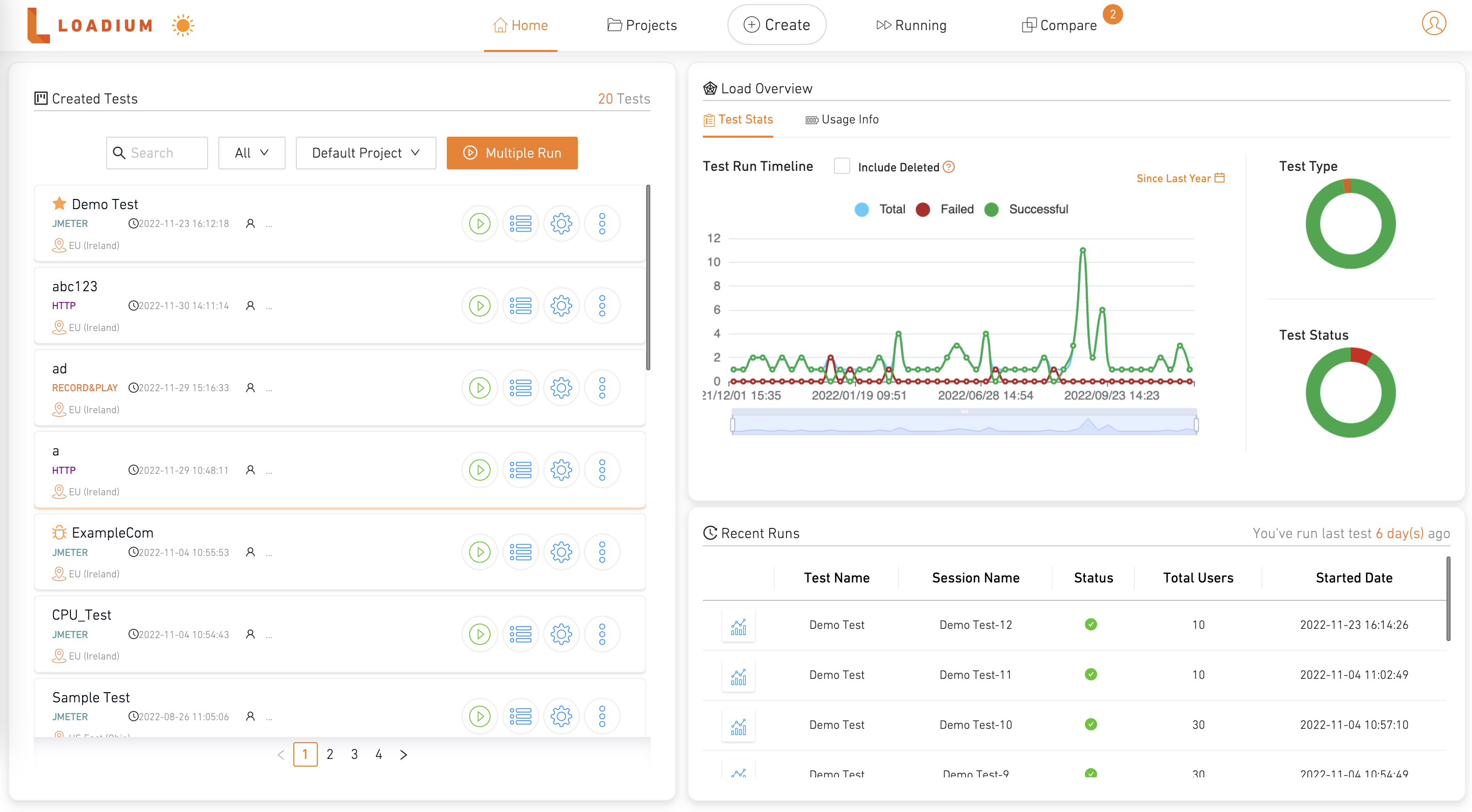
When you first log in to Loadium, you will be presented with Home Page. There are five tabs in the banner menu:
{% tabs %}
{% tab title="Home Page" %}
Displays the list of the created tests, information for previous test runs, and package usage.
{% endtab %}
{% tab title="Projects" %}
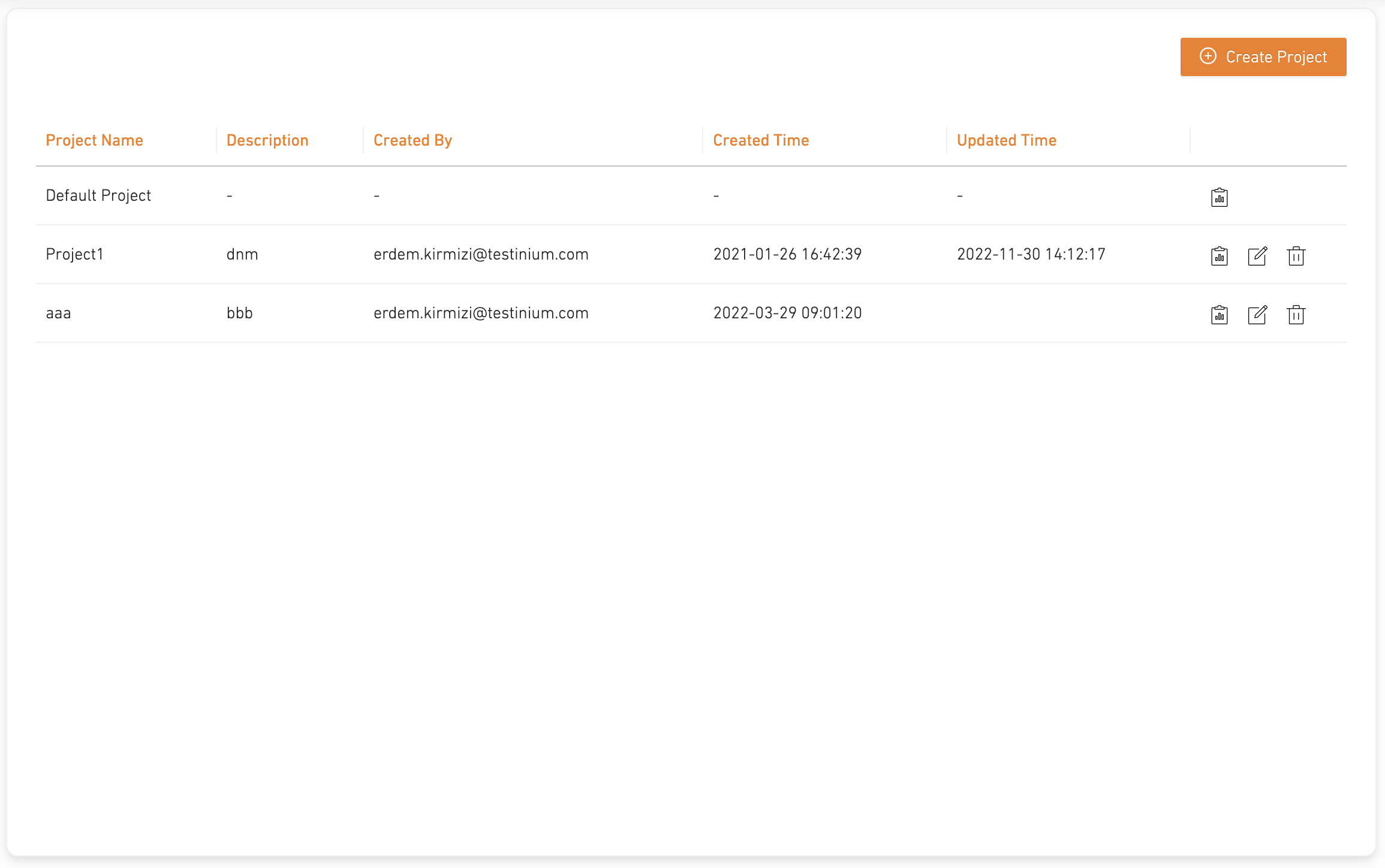
Allows grouping of the created tests and displays them.
{% endtab %}
{% tab title="Create" %}
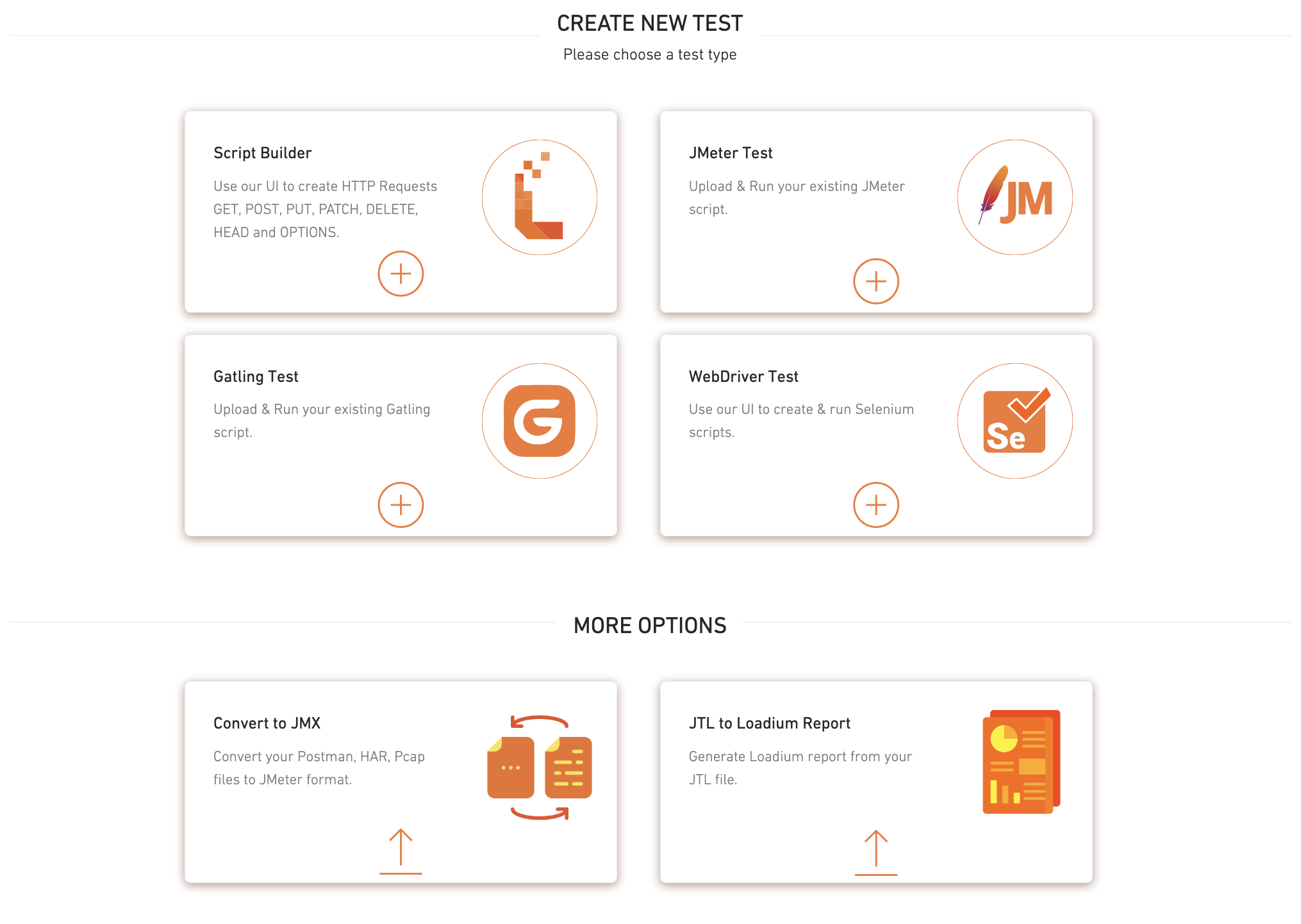
Allows you to start creating a test with Script Builder, JMeter file, Gatling file, and Selenium WebDriver editor. Also presents other options Convert to JMX and JTL to Loadium Report.
{% endtab %}
{% tab title="Running" %}
Displays your actively running tests.
{% endtab %}
{% tab title="Compare" %}
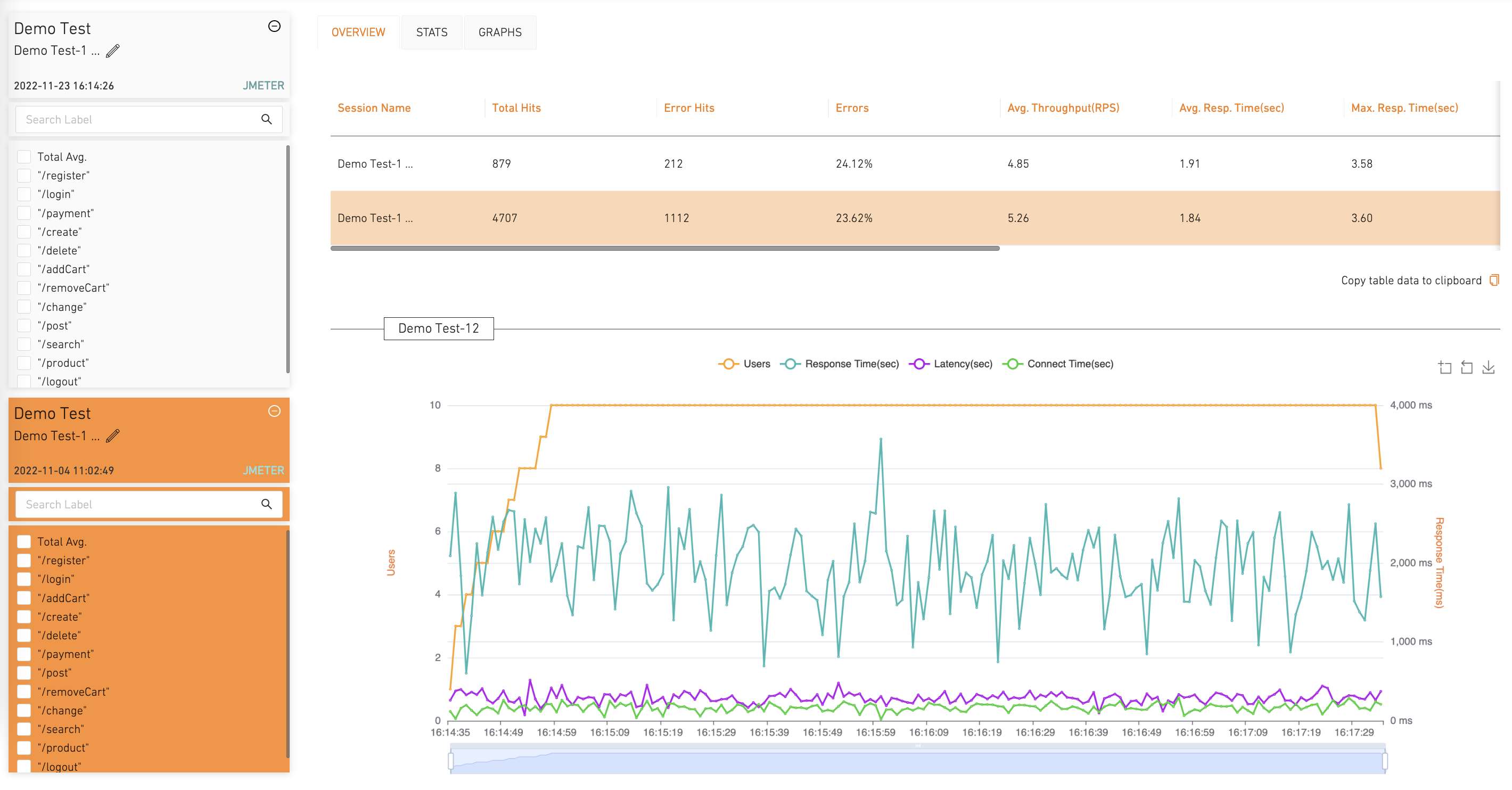
Allows you to compare the results of test runs with each other.
{% endtab %}
{% endtabs %}
## 1) Test Creation
To start creating a test, you can either choose to create a new one through the online no-code web editor or upload your previously created script from the desired technology.
### Script Builder
You can create your own script from scratch through Loadium's online editor.
{% tabs %}
{% tab title="Simple HTTP Builder" %}
#### Simple HTTP Builder
A simplistic approach for creating your script where you will enter basic parameters like request type (GET, POST, PUT, DELETE), request URL, reponse\&connection timeout, etc.
Get started quickly with the Simple HTTP Builder guide:
{% content-ref url="/pages/-MUSBrNVrAlMwDQwoAG6" %}
[Broken mention](broken://pages/-MUSBrNVrAlMwDQwoAG6)
{% endcontent-ref %}
{% endtab %}
{% tab title="Record\&Play" %}
#### Record & Play
A more advanced approach where you can also record your web surfing with the Google Chrome extension to be used in the editor.
Get started quickly with the Record\&Play guide:
{% content-ref url="/pages/-MZDGn7b1fvU2nxsA08m" %}
[Script Builder](/create-test/loadium-record-and-play.md)
{% endcontent-ref %}
{% endtab %}
{% endtabs %}
### By Uploading Script
Loadium supports open-source technologies to create & run your tests:
{% tabs %}
{% tab title="JMeter" %}
#### JMeter Test
Apache JMeter is an open-source tool that supports many protocols like HTTP, JDBC, LDAP, FTP, etc. Creating a JMeter test is the main feature of Loadium which supports all the key features of JMeter.
Get started quickly with the JMeter Test guide:
{% content-ref url="/pages/-MUSAunBwe2J09CIl1hu" %}
[JMeter Test](/create-test/jmeter-test.md)
{% endcontent-ref %}
{% endtab %}
{% tab title="Gatling" %}
#### **Gatling Test**
Gatling is an open-source performance testing framework based on Scala, Akka and Netty. You can simply upload your Gatling file and desired CSV files to create your test and start testing.
Get started quickly with the Gatling Test guide:
{% content-ref url="/pages/-MUSBc3iHQSjgBJ9Ppxx" %}
[Gatling Test](/create-test/gatling-test.md)
{% endcontent-ref %}
{% endtab %}
{% tab title="Web Driver" %}
#### Web Driver Test
Selenium WebDriver is a functional test automation library, you can use your Selenium scripts to create performance tests. You can also use Java and Javascript language to create Selenium-based performance tests.
Get started quickly with the Web Driver Test guide:
{% content-ref url="/pages/-MUSBuRvSupUi9j9Pb3I" %}
[WebDriver Test](/create-test/web-driver-test.md)
{% endcontent-ref %}
{% endtab %}
{% endtabs %}
## 2) Running
During test creation, you can manage the test settings to shape the test running course.
{% tabs %}
{% tab title="Load Configuration" %}
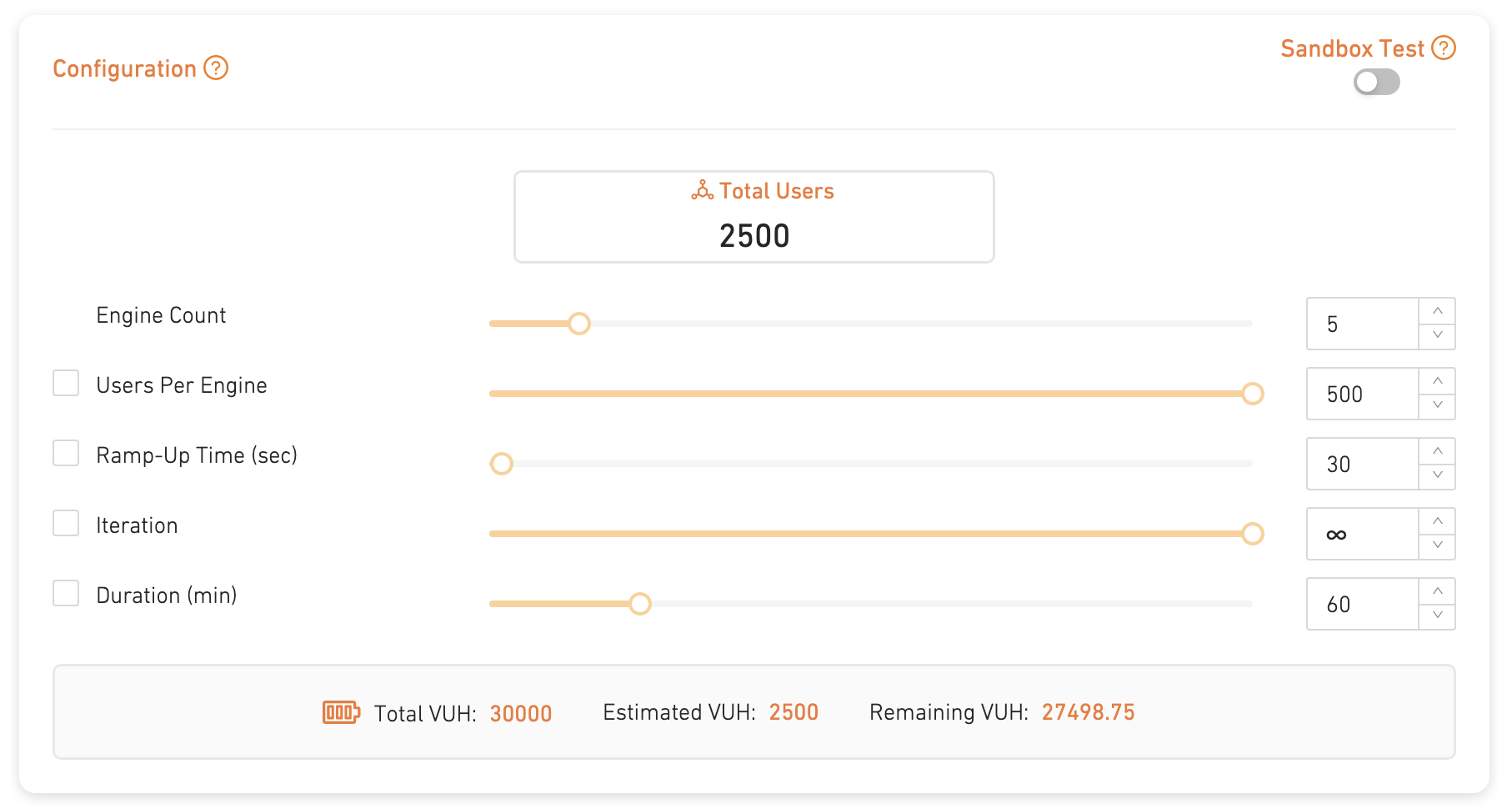
You can configure the virtual user amount, their ramp-up period, and test duration (some parameters may vary between the technologies)
{% endtab %}
{% tab title="Geolocation" %}
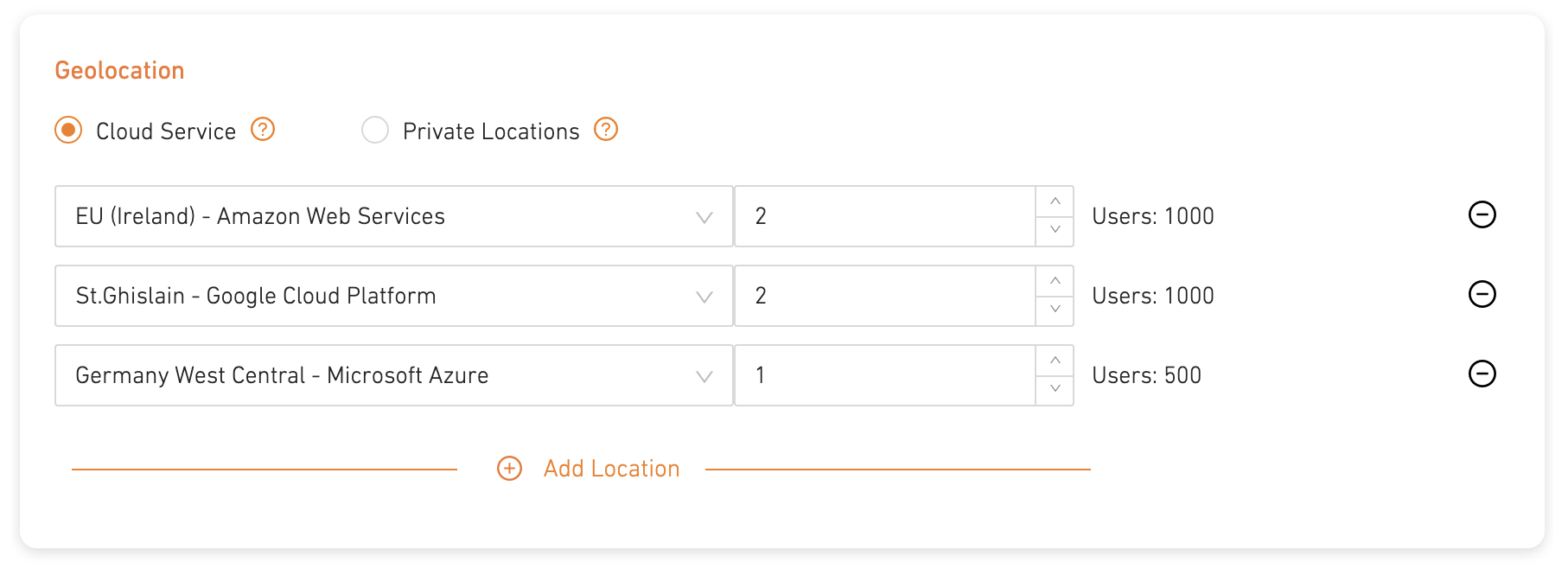
You can choose to distribute your load generation to multiple locations with Cloud Service or use your personal servers with Private Locations.
You can see our guides for more detailed information.
{% content-ref url="/pages/-MUSE7GXKewmLpQmOWWW" %}
[Broken mention](broken://pages/-MUSE7GXKewmLpQmOWWW)
{% endcontent-ref %}
{% content-ref url="/pages/-MYABRi8YJLiiG9YuvpQ" %}
[Broken mention](broken://pages/-MYABRi8YJLiiG9YuvpQ)
{% endcontent-ref %}
{% endtab %}
{% tab title="Failure Criteria" %}
An optional feature where you can choose certain KPI metrics and set thresholds for each request to track their performance
You can see our guide for more detailed information.
{% content-ref url="/pages/CDD5Gw1xs3k317iv9ZFt" %}
[Broken mention](broken://pages/CDD5Gw1xs3k317iv9ZFt)
{% endcontent-ref %}
{% endtab %}
{% tab title="Scheduling" %}
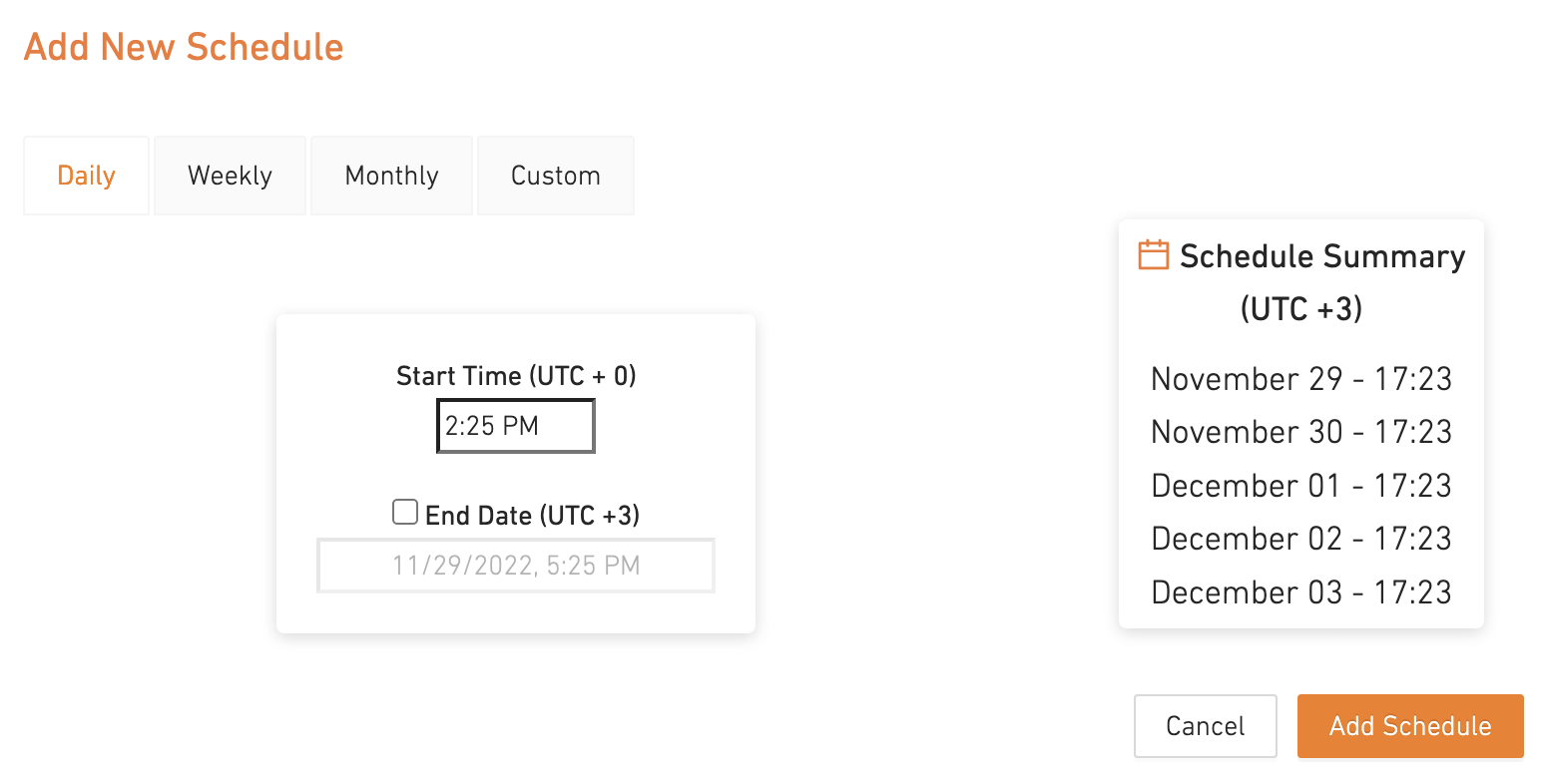
An optional feature where you can schedule your tests to automate their run.
{% endtab %}
{% tab title="APM" %}
An optional feature where you can integrate New Relic or AppDynamics APM Tools to get their metrics displayed on the Loadium Report.
You can see our guide for more detailed information.
{% content-ref url="/pages/-MUheY65faqUboU8iwG4" %}
[Broken mention](broken://pages/-MUheY65faqUboU8iwG4)
{% endcontent-ref %}
{% endtab %}
{% endtabs %}
When you finish creating a test, the information you have put; uploaded files, load configurations, geolocations, KPI, etc. will be saved and you can access it from the Home Page. You can run your created tests from the Home Page.
## 3) Analyzing
{% tabs %}
{% tab title="Test Report" %}
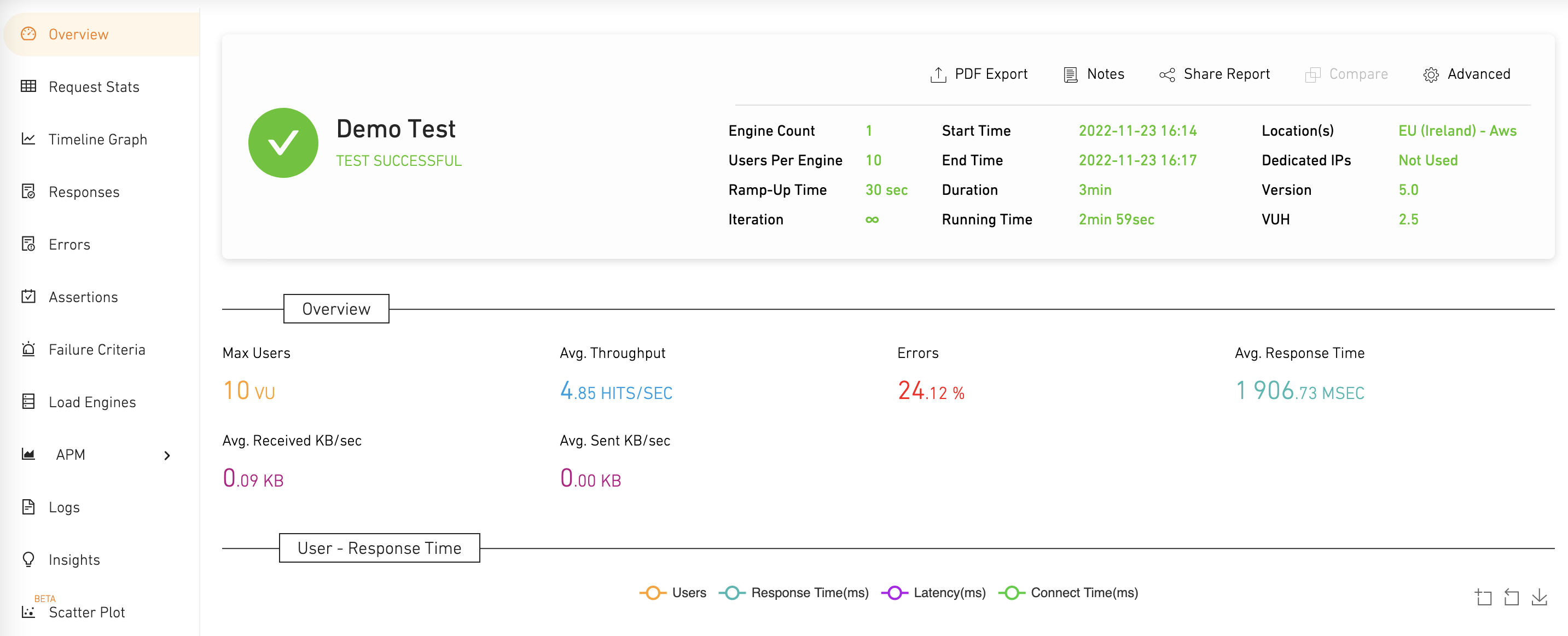
During a test run, the test metrics will be presented lively. After a test finishes, you can access these reports from the test's Sessions page.
You can check out the Test Report guide for a more comprehensive cover:
{% content-ref url="/pages/tL8rqie6IhBi2pRqvD3G" %}
[Broken mention](broken://pages/tL8rqie6IhBi2pRqvD3G)
{% endcontent-ref %}
{% endtab %}
{% tab title="Compare Test" %}
Loadium allows you to compare your tests to help you to analyze your tests better. A quick guide for it will be coming soon!
{% endtab %}
{% tab title="Observing Progress" %}
After several runs of your same created test, the overall progress of test results will be presented in the test's Sessions Page.
{% endtab %}
{% endtabs %}
If you don't see the answer to your question here, please [reach out to us](https://loadium.com/contact-us/) to let us know! We're always improving our documentation.
Enjoy testing!




 Get started quickly with the Record\&Play guide:
{% content-ref url="/pages/-MZDGn7b1fvU2nxsA08m" %}
[Script Builder](/create-test/loadium-record-and-play.md)
{% endcontent-ref %}
{% endtab %}
{% endtabs %}
### By Uploading Script
Loadium supports open-source technologies to create & run your tests:
{% tabs %}
{% tab title="JMeter" %}
#### JMeter Test
Apache JMeter is an open-source tool that supports many protocols like HTTP, JDBC, LDAP, FTP, etc. Creating a JMeter test is the main feature of Loadium which supports all the key features of JMeter.
Get started quickly with the JMeter Test guide:
{% content-ref url="/pages/-MUSAunBwe2J09CIl1hu" %}
[JMeter Test](/create-test/jmeter-test.md)
{% endcontent-ref %}
{% endtab %}
{% tab title="Gatling" %}
#### **Gatling Test**
Gatling is an open-source performance testing framework based on Scala, Akka and Netty. You can simply upload your Gatling file and desired CSV files to create your test and start testing.
Get started quickly with the Gatling Test guide:
{% content-ref url="/pages/-MUSBc3iHQSjgBJ9Ppxx" %}
[Gatling Test](/create-test/gatling-test.md)
{% endcontent-ref %}
{% endtab %}
{% tab title="Web Driver" %}
#### Web Driver Test
Selenium WebDriver is a functional test automation library, you can use your Selenium scripts to create performance tests. You can also use Java and Javascript language to create Selenium-based performance tests.
Get started quickly with the Web Driver Test guide:
{% content-ref url="/pages/-MUSBuRvSupUi9j9Pb3I" %}
[WebDriver Test](/create-test/web-driver-test.md)
{% endcontent-ref %}
{% endtab %}
{% endtabs %}
## 2) Running
During test creation, you can manage the test settings to shape the test running course.
{% tabs %}
{% tab title="Load Configuration" %}
You can configure the virtual user amount, their ramp-up period, and test duration (some parameters may vary between the technologies)
Get started quickly with the Record\&Play guide:
{% content-ref url="/pages/-MZDGn7b1fvU2nxsA08m" %}
[Script Builder](/create-test/loadium-record-and-play.md)
{% endcontent-ref %}
{% endtab %}
{% endtabs %}
### By Uploading Script
Loadium supports open-source technologies to create & run your tests:
{% tabs %}
{% tab title="JMeter" %}
#### JMeter Test
Apache JMeter is an open-source tool that supports many protocols like HTTP, JDBC, LDAP, FTP, etc. Creating a JMeter test is the main feature of Loadium which supports all the key features of JMeter.
Get started quickly with the JMeter Test guide:
{% content-ref url="/pages/-MUSAunBwe2J09CIl1hu" %}
[JMeter Test](/create-test/jmeter-test.md)
{% endcontent-ref %}
{% endtab %}
{% tab title="Gatling" %}
#### **Gatling Test**
Gatling is an open-source performance testing framework based on Scala, Akka and Netty. You can simply upload your Gatling file and desired CSV files to create your test and start testing.
Get started quickly with the Gatling Test guide:
{% content-ref url="/pages/-MUSBc3iHQSjgBJ9Ppxx" %}
[Gatling Test](/create-test/gatling-test.md)
{% endcontent-ref %}
{% endtab %}
{% tab title="Web Driver" %}
#### Web Driver Test
Selenium WebDriver is a functional test automation library, you can use your Selenium scripts to create performance tests. You can also use Java and Javascript language to create Selenium-based performance tests.
Get started quickly with the Web Driver Test guide:
{% content-ref url="/pages/-MUSBuRvSupUi9j9Pb3I" %}
[WebDriver Test](/create-test/web-driver-test.md)
{% endcontent-ref %}
{% endtab %}
{% endtabs %}
## 2) Running
During test creation, you can manage the test settings to shape the test running course.
{% tabs %}
{% tab title="Load Configuration" %}
You can configure the virtual user amount, their ramp-up period, and test duration (some parameters may vary between the technologies)