> For the complete documentation index, see [llms.txt](https://wiki.loadium.com/llms.txt). Markdown versions of documentation pages are available by appending `.md` to page URLs; this page is available as [Markdown](https://wiki.loadium.com/test-settings/file-output.md).
# File Output
A quick guide to output custom files from your test runs
Loadium allows you to generate custom files, download and access them in your JMeter tests using its "Custom Logging" feature.
You can use custom libraries (such as java.io.File) to generate files.
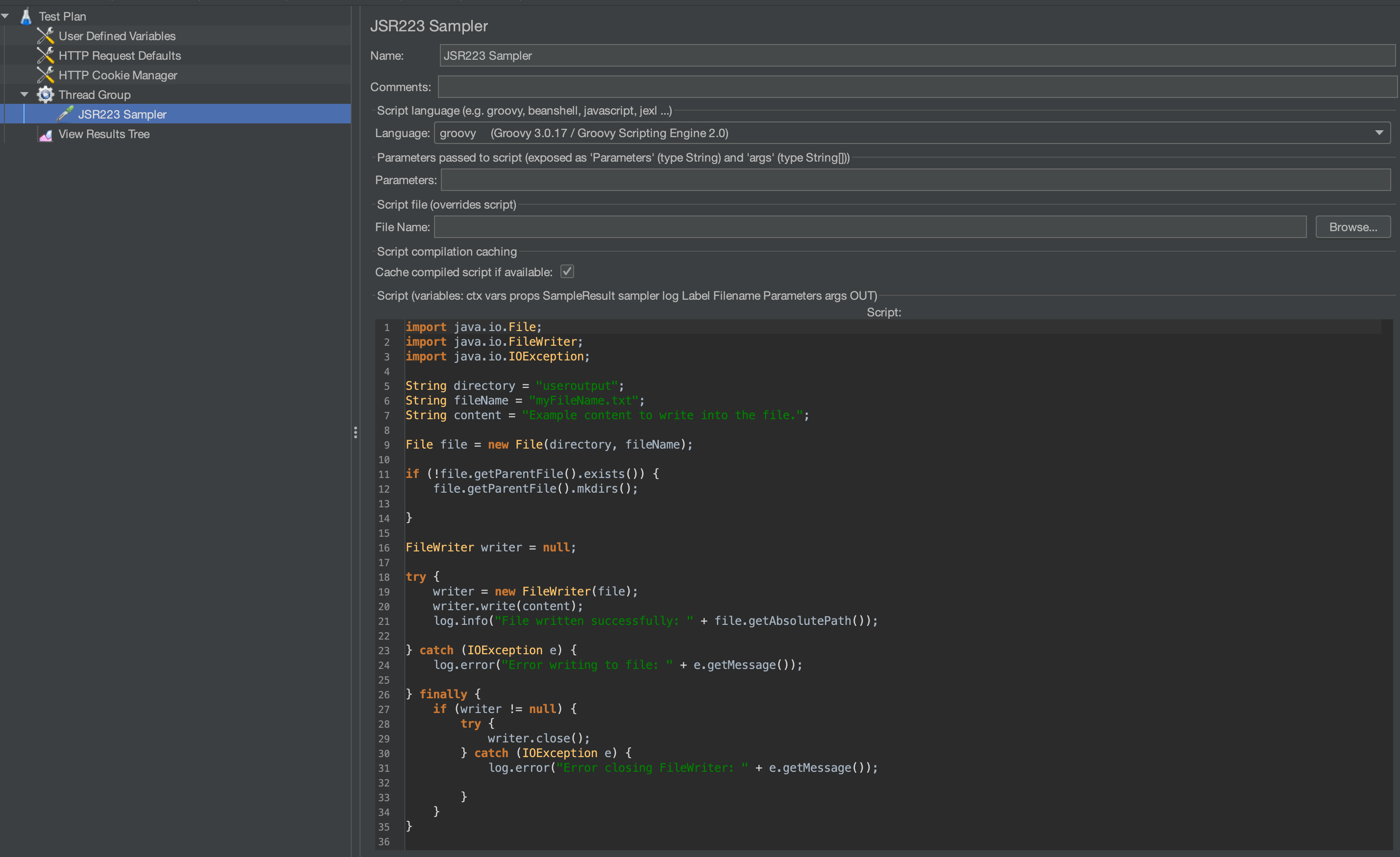
For example, we have a Groovy script for creating a `.txt` file for logging, as shown below:
{% hint style="info" %}
**Note: As mentioned above, output path of your custom file must be set as "useroutput/myFileName" in order to access your file.**
{% endhint %}
Run the test for which you want to get the file outputs and wait for the test to finish.
Once your test is complete, navigate to the **Actions** button in the top-right corner and select **Download Test Files** to download the main test folder.
Now you can access the output files of your test simply by unzipping specified output file.